
In the fast-moving world of software development, speed and reliability determine success. Automation allows teams to release updates faster while maintaining stability, and AWS provides the perfect ecosystem to make this possible. Its powerful suite of cloud-based tools enables developers and operations teams to automate everything from building and testing to deployment and monitoring. For learners aiming to advance in cloud computing and automation, mastering these tools through AWS Training in Trichy offers hands-on experience that builds confidence, enhances efficiency, and prepares professionals for competitive DevOps roles in top organizations.
Why Automation Matters in DevOps
Automation is the foundation of DevOps, helping teams streamline repetitive tasks and reduce manual intervention. It eliminates human error, accelerates delivery, and ensures consistency across environments. In a typical DevOps pipeline, automation manages everything from code integration to deployment and feedback. With AWS, automation becomes more efficient due to its scalability and flexibility. Developers can push updates multiple times a day with minimal risk. Understanding why automation is so essential is the first step toward designing pipelines that improve collaboration, reliability, and software quality.
Version Control and Collaboration with AWS CodeCommit
The journey toward automation begins with effective version control. AWS CodeCommit is a managed Git-based repository that allows teams to store and manage code securely. It enables smooth collaboration between developers by maintaining multiple versions of code and tracking every change. Integrating CodeCommit with other AWS services like CodeBuild and CodePipeline forms the foundation of a continuous integration process. By using this tool, teams can ensure code consistency and minimize conflicts during merges. This step is critical in maintaining clean, organized workflows where every contributor works from the latest version.
Building and Testing Applications with AWS CodeBuild
Once the code is ready, it needs to be built, compiled, and tested automatically. AWS CodeBuild handles this seamlessly by compiling source code, running tests, and generating deployment-ready artifacts. It scales dynamically based on the workload, which means no waiting for servers to be free. CodeBuild supports multiple languages and frameworks, making it suitable for diverse projects. For learners building their DevOps skill set, practical experience with CodeBuild through DevOps Training in Erode provides valuable exposure to real-world automation, ensuring they understand how testing fits into the CI/CD pipeline effectively.
Managing Continuous Integration and Delivery with AWS CodePipeline
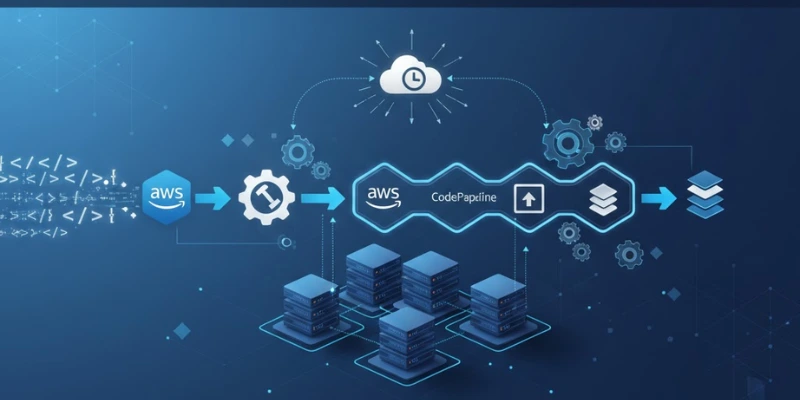
AWS CodePipeline serves as the central automation service that connects all the stages of development from code changes to deployment. It ensures that every modification triggers a defined sequence of actions, including building, testing, and deploying. CodePipeline helps developers visualize and manage workflows through a single interface, ensuring smooth transitions between stages. When configured properly, it can automatically detect issues, roll back failed builds, and notify teams of updates. This reduces downtime and manual work, leading to faster and more reliable software delivery cycles that meet modern business demands.
Automating Deployments with AWS CodeDeploy
Deployment is one of the most crucial stages of the DevOps pipeline. AWS CodeDeploy automates this process by deploying applications to various compute resources like EC2 instances, Lambda functions, or on-premises servers. It ensures updates are delivered with minimal downtime through features like rolling updates and automatic rollbacks. By defining deployment strategies, teams can control how updates are released, minimizing disruptions in production environments. Automation through CodeDeploy not only saves time but also reduces risk, giving developers confidence that their code will run smoothly after every release.
Infrastructure as Code with AWS CloudFormation
In modern DevOps environments, managing infrastructure manually is inefficient and error-prone. AWS CloudFormation changes this by allowing teams to define infrastructure as code (IaC). With CloudFormation templates, you can automatically provision servers, storage, and networks through reusable configurations. This approach ensures consistency, making it easy to replicate environments or scale them instantly. For individuals, gaining expertise in IaC through AWS Training in Erode is invaluable, as it builds the ability to design, manage, and automate complex cloud infrastructures with precision and reliability.
Monitoring and Feedback Using AWS CloudWatch
Monitoring is a key aspect of DevOps automation, ensuring that deployed applications perform as expected. AWS CloudWatch provides detailed metrics, logs, and alerts that help teams monitor performance and detect issues early. By setting up automated alerts, developers can respond to anomalies before they impact users. CloudWatch integrates with all AWS services, making it easier to visualize system health through dashboards. Implementing monitoring and feedback loops ensures a proactive approach to system maintenance, improving both stability and customer satisfaction.
Securing the Pipeline with AWS IAM and Secrets Manager
Automation must always go hand-in-hand with security. AWS Identity and Access Management (IAM) allows teams to control permissions and access levels across their pipeline. It ensures that only authorized users can modify resources or configurations. Additionally, AWS Secrets Manager securely stores sensitive data such as API keys and passwords, preventing exposure during automated processes. These services help developers maintain compliance and safeguard applications. Incorporating security best practices into automation workflows ensures that the DevOps pipeline is both efficient and trustworthy from start to finish.
Integrating Feedback and Collaboration Tools
Communication and feedback are vital in any DevOps setup. AWS integrates with tools like Slack, Jira, and GitHub to improve collaboration. Notifications from Amazon SNS or AWS Chatbot can alert teams instantly when a build fails or deployment completes. This real-time feedback loop helps developers address issues quickly and maintain transparency. Enrolling in AWS Training in Salem can help teams and professionals understand these integrations deeply, enabling them to leverage automated communication effectively. The ability to automate communication strengthens coordination between teams, reinforcing the DevOps culture of shared responsibility and continuous improvement. Efficient feedback integration ensures smooth operations, faster fixes, and more predictable results.
Scaling and Optimizing the Pipeline
AWS’s scalability is one of its biggest advantages. Services like Elastic Beanstalk and Auto Scaling enable pipelines to handle fluctuating workloads automatically. For instance, if traffic spikes during a new feature release, Auto Scaling ensures the system adjusts resources to maintain performance. Optimizing automation involves continuous improvement monitoring efficiency, refining configurations, and updating workflows. Learners who understand how to scale automated pipelines are better equipped to manage large projects, making them valuable assets in organizations that rely on cloud-native DevOps strategies.
The Career Benefits of Cloud-Based Automation
Automation is no longer an optional skill, it’s a necessity for every DevOps professional. Learning AWS tools equips individuals with in-demand capabilities that enhance their career prospects across industries. Understanding how automation impacts development cycles, reduces downtime, and ensures continuous delivery prepares professionals for advanced roles in cloud operations and DevOps architecture. For instance, those who enhance their expertise through structured, hands-on learning gain practical insights that align with industry requirements, making them future-ready for evolving technology landscapes that depend heavily on cloud automation.
Building a Future-Ready DevOps Career
Mastering AWS automation tools transforms how professionals approach software delivery. From faster builds to seamless deployments, automation ensures consistent quality and reliability at every stage. As cloud adoption grows, the demand for skilled DevOps engineers with AWS expertise continues to rise. Professionals who upskill through DevOps Course in Trichy position themselves for long-term success in roles that shape the future of cloud infrastructure. Embracing automation today not only strengthens technical proficiency but also ensures a rewarding career in tomorrow’s rapidly evolving digital ecosystem.
Also Check: Overview of LoadRunner